


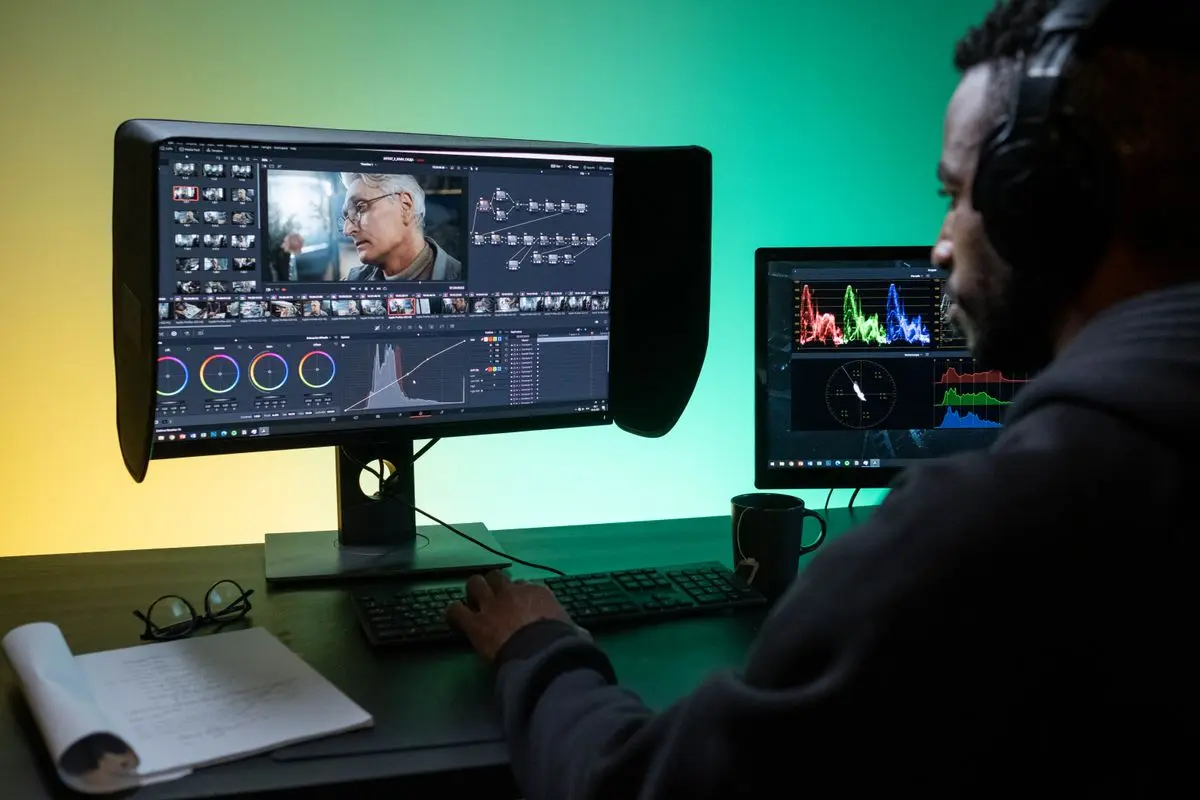
Every minute, millions of people scroll past vertical videos on TikTok, Instagram Reels, and YouTube Shorts. Behind almost every polished clip is an editor — and right now, there are far more creators who need editing help than editors who can do it well. Short-form video editing is one of the most beginner-friendly freelance skills of 2026: you can learn the basics in weeks, start with free software, and charge per video from your very first client.
This guide explains what the work actually involves, what editors charge in 2026, which tools to learn, and how to land your first paying clients — step by step.
What Is Short-Form Video Editing?
Short-form video editing means turning raw footage into vertical videos under 90 seconds, built for TikTok, Instagram Reels, and YouTube Shorts. The format is always 9:16 (tall, phone-shaped), the pace is fast, and the first two seconds decide whether anyone keeps watching.
A typical job includes:
- Cutting for pace — removing pauses, filler words, and dead air so the video never drags.
- Captions — bold, word-by-word subtitles, because most viewers watch with the sound off.
- Hooks — a strong opening line or visual in the first 1–2 seconds.
- B-roll and zooms — cutaway clips, punch-ins, and movement that keep the eye busy.
- Music and sound effects — trending audio, whooshes, and dings timed to the cuts.
- Colour and polish — a clean grade, sharp export, and correct safe zones so captions are never hidden behind buttons.
Clients range from solo YouTubers and TikTok creators to small businesses, coaches, podcasters, and marketing agencies. Many of them publish daily, which is exactly why this skill pays: one creator who posts five Reels a week needs roughly 20 edited clips a month, every month.
If you are still weighing which freelance skill to learn first, our beginner’s guide to freelancing compares the main options and explains how to pick one that fits your situation.
How Much Can You Earn Editing Short-Form Video?
Earnings vary widely by experience, speed, and who you work for — but the market is transparent enough to give honest ranges. The figures below come from 2026 rate guides and published studio pricing, and they are in US dollars unless noted.
Per-clip rates (the most common way to charge)
| Level | Per short clip (under 60 seconds) | What the work looks like |
|---|---|---|
| Beginner | $15–$50 | Basic cuts, auto-captions, simple transitions |
| Intermediate | $50–$150 | Styled captions, B-roll, sound design, pacing |
| Advanced / specialist | $150–$300+ | Motion graphics, storytelling, direct-response ads |
| Productised studios | $80–$95 | Fixed packages, e.g. Tasty Edits’ published rates |
Hourly and monthly rates
| Pricing model | Typical 2026 range | Best for |
|---|---|---|
| Hourly (entry level) | $20–$45 per hour | First clients, simple edits |
| Hourly (experienced) | $45–$85 per hour | Brand work, agencies |
| Hourly (senior / specialist) | $85–$150+ per hour | Motion graphics, ads, colour work |
| Monthly retainer | $2,000–$4,500 for 20–30 clips | Steady creator or brand clients |
Do the maths on a retainer: 20 clips a month at $75 each is $1,500 from one client. Two steady clients at that level is a full-time income in many countries — and that is before you count one-off projects. The real money in this skill is not the single clip; it is the client who comes back every week.
Rates also differ by region. Editors working with US or UK clients usually charge the ranges above, while editors serving local businesses in lower-cost markets often charge less per clip but win on volume. If you are unsure what to charge, run your numbers through our freelance income calculator to see what hourly or per-project rate you actually need to hit your monthly target.
What You Need to Start
The barrier to entry is genuinely low. You do not need a film degree, an expensive camera, or a powerful computer to begin.
Skills (in order of importance)
- Pacing and storytelling — knowing what to cut and what to keep. This matters more than any software trick.
- Captions and typography — clean, readable, well-timed text that matches the speaker.
- Sound — music choice, volume balance, and effects that support the message instead of distracting from it.
- Hooks and retention — structuring the first seconds so viewers stay past the swipe.
- Platform awareness — what works on TikTok is not always what works on a business’s Instagram page.
Tools: which editor should you learn?
| Tool | Cost in 2026 | Best for | Learning curve |
|---|---|---|---|
| CapCut | Free; Pro about $19.99/month | Fast short-form, phone or desktop | Hours — productive on day one |
| DaVinci Resolve | Free; Studio $295 one-time | Professional work, colour grading | Weeks — steeper, higher ceiling |
| Adobe Premiere Pro | About $22.99/month (annual plan) | Client and agency workflows | Weeks — the industry standard |
| Final Cut Pro | About $299 one-time (Mac) | Fast editing on Apple devices | Days to weeks |
Our recommendation for a complete beginner: start with CapCut. It was built for short-form video, its auto-captions and templates do much of the heavy lifting, and you can ship a finished clip within an hour of installing it. Move to DaVinci Resolve (free) when you want deeper colour and control, and learn Premiere Pro once clients or agencies start asking for it by name. If you are interested in the AI side of editing, our guide to AI video editing explains which tasks AI tools already handle well — and which still need a human.
Hardware
Any modern laptop or desktop from the last five years can cut 1080p vertical video. A phone alone is enough to start in CapCut. You will want decent headphones (audio matters more than a fancy monitor), and an external drive or cloud storage once client files pile up. Do not buy expensive gear before you have paying clients — upgrade from earnings, not savings.
Learn Short-Form Editing in 30 Days
You do not need a course. You need a plan and daily practice. Here is a realistic four-week path:
Week 1: Learn the tool
Pick CapCut and finish its built-in tutorials. Learn to import footage, cut on the timeline, add auto-captions, adjust speed, and export in 1080p vertical. Re-edit three of your favourite Reels from scratch — not to publish them, but to understand how they were built.
Week 2: Study what works
Watch 20 high-performing Shorts or Reels a day with the sound on, then again with it off. Note the hook, where the cuts fall, how captions are styled, and when music changes. Save the ones you admire into a reference folder. This is your real curriculum.
Week 3: Build spec edits
Take freely available footage (a public-domain clip, a creator’s long video with permission, or your own recordings) and edit five different styles: a talking-head clip, a product clip, a podcast clip, a vlog-style clip, and a trend-based clip. Each one teaches a different skill.
Week 4: Ship and get feedback
Post your best two edits on your own TikTok or Instagram, and show your portfolio to three people who make content. Ask one question: “Would you pay for this?” Fix whatever they point out. You are now ready to pitch.
Build a Portfolio That Gets Replies
Clients hire editors on proof, not promises. Your portfolio does not need to be long — three to five strong clips beat twenty mediocre ones.
- Show before-and-after. A 10-second raw clip next to your edited version proves your value instantly.
- Cover more than one niche. One talking-head edit, one product edit, and one podcast clip show range without diluting your focus.
- Keep it short. A 60–90 second showreel, or a simple page with five clips, is enough. Nobody watches a 10-minute reel.
- Host it where clients already are. A TikTok or Instagram account full of your edits doubles as your portfolio and your marketing.
- Label your work honestly. Spec edits are fine — say so. Never pass off someone else’s edit as yours.
Where to Find Your First Clients
There are four reliable routes, and beginners should try more than one at the same time.
1. Freelance marketplaces
Upwork and Fiverr are the obvious starting points. Short-form editing gigs are among the most posted jobs in the video category, and a new editor can win work by specialising — “I edit podcast clips for coaches” beats “I edit videos”. Our Upwork beginner’s guide walks through landing a first client in 30 days, and the same principles apply here: a focused profile, a strong sample, and proposals that mention the client’s actual content.
2. Direct outreach to creators
This is the highest-return route, and the one most beginners skip. Find creators with 10,000–500,000 followers who post regularly but whose edits look rough. Watch their last ten videos, then send a short message with a 20–30 second re-edit of one of their clips. A free sample edit is the fastest way to prove you are worth hiring — one good audit-style pitch converts far better than a hundred cold applications.
3. Agencies and editing studios
Content agencies and productised editing studios hire freelance editors on contract, often for a fixed number of clips a week. The pay per clip is usually lower than direct clients, but the volume is steady and there is no pitching. Search for “short-form editor” roles on job boards and in creator-economy communities.
4. Local businesses
Restaurants, gyms, salons, and estate agents all need Reels and TikToks, and most have never hired an editor. Offer a small trial package — say, four Reels for a fixed price — and let the results sell the retainer. Local clients also pay faster and refer you to other local businesses.
How to Price Your Work (Without Undercharging)
Beginners almost always undercharge, and the habit is hard to break later. Three rules keep your pricing healthy:
- Charge per video, not per hour, once you are fast. A clip that takes you 45 minutes should not earn less than the same clip done by a slower editor in two hours. Per-clip pricing rewards your speed.
- Package by volume. Offer 4, 8, or 12 clips a month at a slight discount per clip. The client gets a better rate; you get predictable income.
- Include revision limits. Two revision rounds are standard. Extra rounds cost extra — state this in writing before you start.
A simple starter structure: $30 per clip for your first three clients, $50 per clip once you have testimonials, then a monthly package (e.g. 8 clips for $360) for anyone who commits. Raise your rate every time your booking calendar fills up. For a full breakdown of pricing models, read our freelance pricing guide — it covers hourly vs project rates, retainers, and how to raise prices without losing clients.
A Simple Workflow for Fast, Consistent Delivery
Speed is your competitive edge. A repeatable workflow lets you deliver a polished clip in under an hour:
- Brief (5 minutes): confirm the hook, the key message, the caption style, and the deadline before touching the timeline.
- Rough cut (15 minutes): remove pauses and mistakes, arrange the clips in order, no effects yet.
- Captions and pacing (15 minutes): add styled captions, punch-ins, and B-roll where attention dips.
- Sound (10 minutes): music, effects, and a final volume check on phone speakers — that is how most viewers will hear it.
- Review (5 minutes): watch the whole clip on your phone, check safe zones, export, and send.
Save caption styles, transitions, and export settings as presets. Every minute you save on routine work is a minute you can spend on the creative decisions clients actually pay for.
Pros and Cons of Short-Form Video Editing
| Pros | Cons |
|---|---|
| Low startup cost — free software, no degree needed | Repetitive work; the 50th talking-head clip feels like the first |
| Fast to learn; first paid work possible within a month | Clients expect quick turnarounds, often 24–48 hours |
| Huge, growing demand from creators and businesses | Rates are pressured by very cheap competition |
| Easy to productise into monthly retainers | Trends and platform rules change constantly |
| Work from anywhere, on a laptop or even a phone | Revisions and unclear briefs can eat your time |
| Skills transfer to long-form editing, ads, and content strategy | Income is uneven until you have steady clients |
Common Beginner Mistakes to Avoid
- Over-editing. Effects on every cut look amateur. The best edits are often the ones viewers do not notice.
- Ignoring the hook. A beautiful edit that starts slowly will be swiped away in two seconds.
- Using copyrighted music carelessly. Use the platform’s licensed audio library or royalty-free tracks for client work.
- No contract, no deposit. Always confirm scope, price, revision rounds, and a 50% deposit for new clients.
- Editing in a vacuum. Watch your finished clip on a phone, in the app, before sending it — that is where it will live.
Frequently Asked Questions
Do I need experience to start editing short-form videos for clients?
No. You need three to five good sample edits and the ability to deliver on time. Most clients care about the result, not your CV. A month of focused practice is enough to take on simple paid work.
How much do beginner short-form video editors make?
Beginners typically charge $15–$50 per clip, or $20–$45 an hour. At 20 clips a month for one or two steady clients, that is roughly $600–$1,500 a month part-time — and rates rise quickly once you have testimonials and a faster workflow.
CapCut vs Premiere Pro: which should I learn first?
CapCut if you want to earn quickly — it is free, fast, and built for vertical video. Premiere Pro if you plan to work with agencies or grow into long-form and commercial work. Many editors use both: CapCut for speed, Premiere for control.
Can I edit short-form videos on my phone?
Yes. CapCut’s mobile app handles the full workflow — cutting, captions, effects, and export. A desktop is faster for volume work, but a phone is a legitimate starting point.
How do I find clients without a big following?
You do not need followers; you need samples. Re-edit a creator’s existing video, send them the improved version, and offer a trial package. Direct outreach with a free sample converts far better than posting into the void and hoping clients find you.
Is short-form video editing still worth learning in 2026?
Yes. Demand keeps growing as more businesses and creators publish daily video, and AI tools speed editors up rather than replacing them — the judgement about pacing, story, and hooks is still human work. The editors at risk are the ones who only do basic cuts; the ones who understand retention and storytelling are in demand.
The Bottom Line
Short-form video editing is one of the most practical ways to start earning online in 2026: the tools are free, the learning curve is short, and the demand is real and recurring. Learn the basics in CapCut, build five strong sample edits, and start pitching creators directly — the first client is the hardest to win, and every one after that gets easier.
If you want more ideas for turning skills into income, browse our earning ideas hub or compare other beginner-friendly services in the freelancing starter guide.
Featured image: Photo by Ron Lach on Pexels (free to use).
